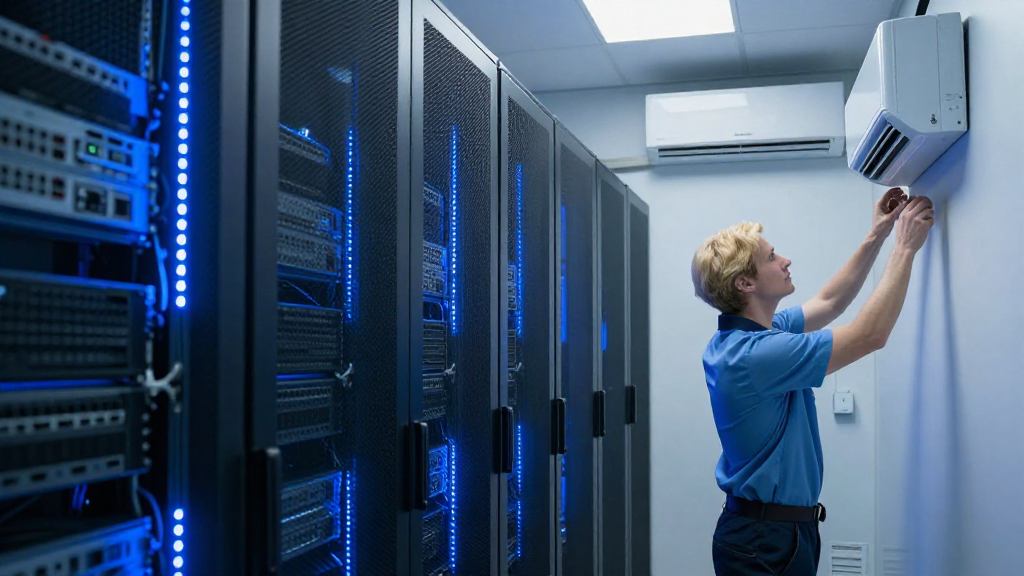
Setting up air conditioning in server rooms is crucial for maintaining optimal temperatures and ensuring the longevity of your critical hardware.
Why Is Air Conditioning Important in Server Rooms?
The heart of any efficient business lies in its data center or server room.
These areas are filled with sensitive electronic equipment that generates considerable heat.
If this heat is not effectively managed through air conditioning in server rooms, several issues may arise, including:
- Overheating: Excessive heat can lead to hardware failures.
- System Downtime: Equipment failures can cause significant downtime.
- Increased Energy Costs: Inefficient cooling may lead to higher energy bills.
Implementing proper air conditioning solutions can mitigate these risks and ensure smooth operations.
What Are the Key Components of Air Conditioning in Server Rooms?
When setting up air conditioning in server rooms, several crucial components must be considered:
- Chillers and Cooling Units:
- These are the backbone of any cooling system.
-
Options include chilled water systems and direct expansion (DX) units.
-
Airflow Management:
- Proper airflow is critical as it determines how effectively the space can be cooled.
-
Utilize raised floors or containment systems to manage airflow efficiently.
-
Temperature Monitoring:
- Implement monitoring systems that provide real-time data on temperature and humidity levels.
-
This allows for proactive adjustments and alerts when problems arise.
-
Backup Systems:
- Having redundant cooling systems in place ensures that, in case of a malfunction, your server room remains cool.
How Do You Choose the Right Air Conditioning System?
Choosing the right system for air conditioning in server rooms depends on several factors:
-
Room Size:
– Calculate the total BTU (British Thermal Unit) requirement based on the equipment and the size of the room. -
Heat Load:
– Assess the heat generated by your servers and any additional equipment in the room.
– This includes considerations for future expansions. -
Efficiency Ratings:
– Look for energy-efficient models that provide adequate cooling without excessive power consumption. -
Type of System:
– Decide between in-row cooling, overhead cooling, or perimeter cooling, depending on your room layout. -
Budget:
– Evaluate both the upfront costs and ongoing operational costs.
What Are the Steps to Install Air Conditioning in Server Rooms?
Installing air conditioning in server rooms involves several careful steps:
1. Perform an Assessment
- What is the total heat load?
- What cooling solution suits your needs best?
2. Choose the Right Equipment
- Based on your assessment, select the cooling units and associated components.
- Don’t forget about redundancy and future scalability.
3. Plan the Layout
- How will you arrange the cooling units for maximum efficiency?
- Consider airflow direction and temperature zones.
4. Install the System
- Engage professionals for the installation.
- Follow proper safety guidelines and manufacturer specifications.
5. Test the System
- Once installed, test to ensure that cooling is distributed evenly across the space.
- Monitor temperature variations and adjust settings as needed.
How Can You Maintain Your Air Conditioning System?
Regular maintenance is vital for keeping your air conditioning in server rooms functioning efficiently.
Here’s a maintenance checklist:
– Regular Filter Replacement:
- Change or clean filters every 1-3 months depending on the manufacturer’s recommendations.
– Inspect Coils:
- Clean coils to ensure efficient heat exchange.
– Check Refrigerant Levels:
- Low refrigerant levels can affect performance; keep them monitored and topped up.
– Calibration:
- Regularly calibrate your temperature sensors and thermostats.
– Professional Inspections:
- Schedule annual professional inspections for comprehensive checks and repairs.
What Are Some Common Challenges with Air Conditioning in Server Rooms?
Adopting air conditioning in server rooms can come with challenges, including:
- Inefficient Cooling: Areas of the room may become too hot despite having cooling systems in place.
- Increased Costs: Maintenance and operational costs may escalate without proper planning.
- External Temperature Variations: Changes in outside weather can inadvertently affect your setup, requiring adaptive measures.
To mitigate these challenges, consider:
- Utilizing hot aisle/cold aisle containment strategies for optimized airflow.
- Setting up variable speed drives on your cooling units to match cooling output closer to real-time needs.
- Investing in a Comprehensive Building Management System (BMS) for better integration with existing systems.
Why Consider Upgrading Your Existing Air Conditioning System?
If you already have air conditioning in server rooms, consider an upgrade to keep pace with evolving technology and business requirements.
Reasons to Upgrade:
- Energy Efficiency: Older systems can be costlier to run, and newer models often incorporate energy-saving technologies.
- Improved Cooling: Advanced systems offer better cooling capacity, ideal for high-density computing environments.
- Remote Monitoring: Many modern units come with IoT capabilities, allowing for remote access to monitoring and controls.
Conclusion
Setting up and maintaining air conditioning in server rooms is essential to ensure the reliability and performance of your IT infrastructure.
By understanding the importance of efficient cooling, selecting the right equipment, and keeping up with regular maintenance, you can create an optimal environment for your servers.
From careful planning to execution and ongoing management, every step counts in safeguarding your valuable data and operational continuity.